Artificial intelligence has moved from something associated mainly with research laboratories and large technology companies into everyday products and services. It can appear in smartphones, search engines, smart home devices, email applications, navigation tools, entertainment platforms, customer-service systems, and conversational assistants.
For people who have spent most of their lives before the arrival of modern AI, this rapid change can understandably create questions.
What exactly is artificial intelligence? How does it work? What can it actually do? Is it difficult to use? Can it help with ordinary daily activities? And perhaps most importantly, how can someone use AI without becoming overwhelmed by technical terminology?
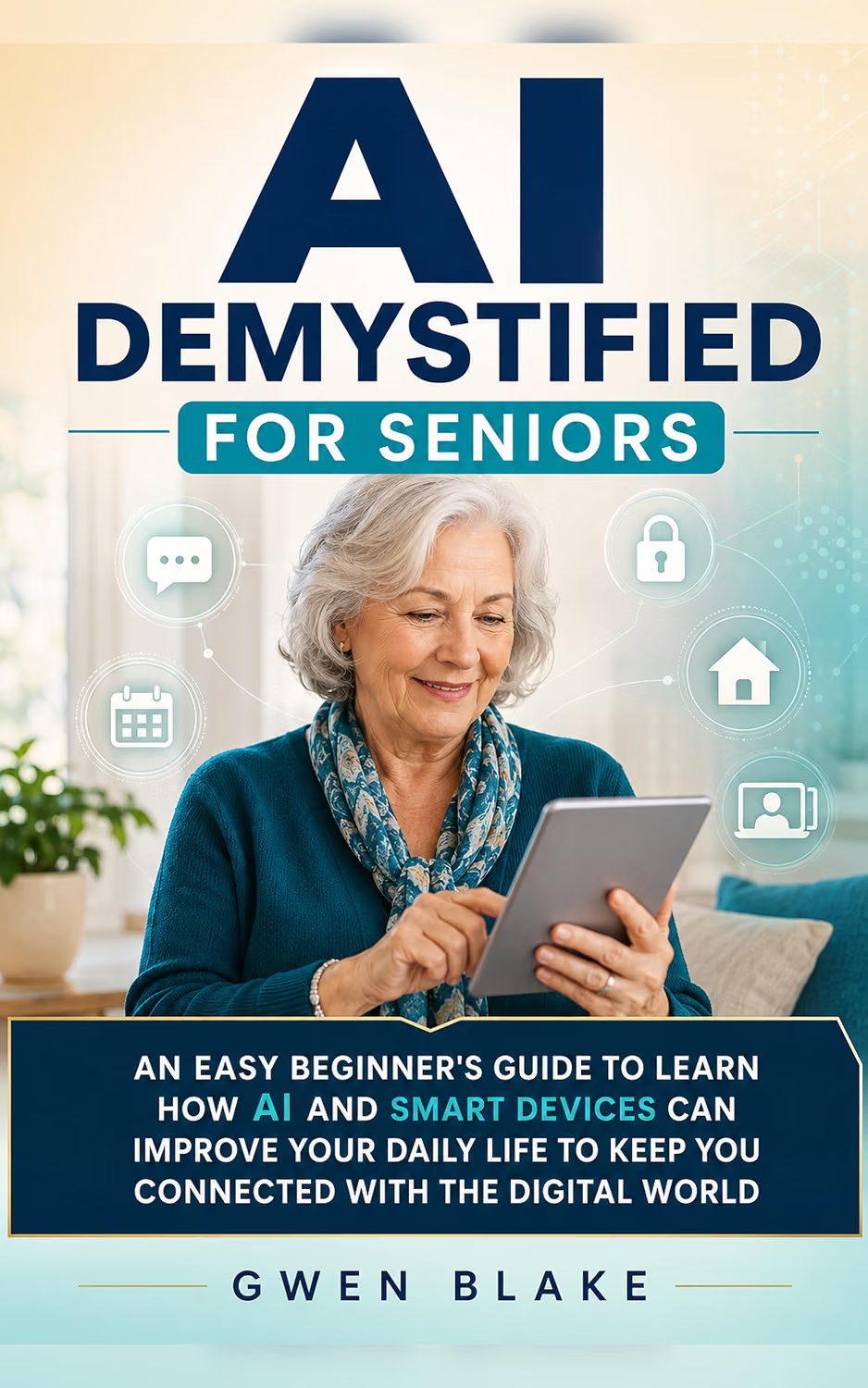
AI DEMYSTIFIED FOR SENIORS: AN EASY BEGINNER’S GUIDE TO LEARN HOW AI AND SMART DEVICES CAN IMPROVE YOUR DAILY LIFE TO KEEP YOU CONNECTED WITH THE DIGITAL WORLD approaches artificial intelligence from a beginner-oriented perspective. Rather than assuming that the reader has a technical background, the subject is framed around understanding AI and discovering practical ways that smart technology can fit into everyday life.
That approach is relevant because digital literacy is becoming broader than simply knowing how to operate a computer or smartphone. People increasingly need to understand how automated systems work, how AI-generated information should be evaluated, and how connected devices collect and use information.
The good news is that learning AI does not require learning computer programming.
A beginner can start with simple concepts and gradually experiment with practical applications.
Understanding Artificial Intelligence in Simple Terms
Artificial intelligence is a broad term used for computer systems capable of performing tasks that traditionally require some form of human intelligence.
These tasks can include recognizing patterns, processing language, generating text, identifying objects in images, making predictions, recommending content, and assisting with certain decisions.
Modern AI systems can process enormous amounts of information and identify relationships within data.
For a beginner, however, the technical details are not always necessary.
A useful starting point is to think of AI as a collection of technologies that allow computers to perform particular tasks in ways that can resemble aspects of human reasoning or perception.
An AI assistant can process a question and generate an answer.
A smartphone can use machine-learning systems to organize photographs.
A navigation application can analyze traffic information and suggest routes.
A streaming service can recommend content based on patterns in viewing behavior.
These are different applications of AI.
Understanding that variety helps make artificial intelligence less mysterious.
Why AI Literacy Matters for Seniors
Technology has always required some learning.
The difference today is the speed at which new digital capabilities are appearing.
Someone may already be comfortable making telephone calls, sending messages, browsing the internet, and using applications, yet still encounter unfamiliar AI-powered features.
Without basic AI literacy, it can be difficult to understand what these features are doing.
For seniors, AI literacy can therefore serve several purposes.
It can help users:
- Understand common AI terminology
- Explore conversational assistants
- Use smart devices more effectively
- Recognize limitations of AI-generated information
- Protect personal information
- Evaluate digital content more carefully
- Stay connected with friends and family
- Discover new ways to organize everyday activities
The objective is not to turn every user into an AI specialist.
It is to make modern technology easier to understand and use responsibly.
Key Features and Learning Topics
Beginner-Friendly Introduction to AI
A beginner-oriented AI guide starts with concepts rather than technical equations.
Readers can first become familiar with ideas such as artificial intelligence, machine learning, automation, algorithms, voice recognition, and conversational AI.
These terms often appear together in technology news, but they do not all mean the same thing.
Understanding the vocabulary can make later explanations much easier to follow.
For example, machine learning generally refers to systems that learn patterns from data rather than being explicitly programmed with every individual rule.
Artificial intelligence is a broader category that can include machine learning and other approaches.
Knowing this distinction is useful without requiring a person to understand the mathematics behind machine-learning models.
AI in Everyday Devices
Artificial intelligence is increasingly integrated into devices people already use.
Smartphones can include AI-assisted photography, voice recognition, predictive text, spam detection, translation, accessibility features, and other capabilities.
Smart speakers and connected home devices may use voice processing to respond to commands.
Televisions and entertainment services can use algorithms to personalize recommendations.
Email systems can detect suspicious messages or categorize incoming mail.
This means learning about AI does not necessarily require buying a dedicated AI device.
The technology may already be present in everyday products.
Smart Devices and Connected Living
Smart devices are physical products that can connect to networks and sometimes communicate with other devices or online services.
Examples include:
- Smartphones
- Smart speakers
- Smart televisions
- Smart watches
- Smart thermostats
- Connected lights
- Security cameras
- Smart appliances
- Digital assistants
For seniors, these devices can potentially simplify certain routines.
A connected light can be controlled without walking across a room.
A smart speaker may provide information through voice interaction.
A smartwatch can display notifications from a phone.
A smartphone can connect a user to family members regardless of physical distance.
The important point is that convenience and connectivity should be balanced with privacy and security considerations.
Conversational AI
Conversational AI allows people to interact with computer systems using natural language.
Instead of navigating menus, a user can type or speak a request.
This can make technology more approachable.
For example, a person learning about smartphones could ask:
“Explain what Bluetooth is in simple language.”
After receiving an explanation, they could ask:
“Can you give me an example of when I would use Bluetooth?”
Then:
“How do I know if Bluetooth is turned on?”
This ability to ask follow-up questions can make AI particularly useful as a learning aid.
ChatGPT and Similar AI Tools
ChatGPT is one example of a conversational AI system.
A user can interact with it through written prompts and, where supported, other forms of interaction.
It can assist with tasks such as:
- Explaining concepts
- Summarizing information
- Brainstorming ideas
- Drafting messages
- Creating lists
- Organizing information
- Practicing conversations
- Providing general educational explanations
However, users should remember that AI-generated responses can contain errors.
The ability to produce a fluent response should not be confused with guaranteed accuracy.
This is particularly important when asking about health, legal matters, finances, or other high-stakes subjects.
How AI Can Be Used in Daily Life
Staying Connected With Family
Communication is one of the most obvious ways technology can support daily life.
Smartphones, tablets, video-calling applications, messaging platforms, and social networks can help families stay connected across cities and countries.
AI can support some of these activities by helping users write messages, translate text, summarize long conversations, or explain unfamiliar digital features.
For example, a person who receives a message containing unfamiliar technical language might ask an AI assistant to explain it in simpler terms.
That can reduce the barrier created by unfamiliar terminology.
Writing Emails and Messages
Writing a message can sometimes be difficult, especially when the user wants to communicate something clearly and politely.
An AI assistant can help organize thoughts or provide a draft.
For example:
“Help me write a short, friendly message thanking my neighbor for helping me.”
The user can then review the suggested text and make changes.
The important principle is that AI should assist with communication rather than replace the user’s own judgment.
Sensitive information should also be handled carefully.
Learning New Technology
AI can function as an interactive tutor.
A senior who has never used cloud storage might ask:
“What does cloud storage mean?”
Then:
“Explain it without technical terms.”
Then:
“Give me an example using photographs.”
This type of step-by-step questioning can be more approachable than reading a technical manual filled with unfamiliar terminology.
Understanding Difficult Words
Digital services frequently use terms that are unfamiliar to beginners.
Words such as:
- Authentication
- Synchronization
- Cloud storage
- Encryption
- Browser
- Application
- Two-factor authentication
- Bluetooth
- Wi-Fi
- Algorithm
can seem intimidating.
AI can provide plain-language explanations.
For example, a user could ask:
“What does two-factor authentication mean, and why would I use it?”
This transforms an unfamiliar technical term into a practical lesson.
Organizing Everyday Information
AI can help organize information into lists and categories.
A user might ask for:
- A grocery checklist
- Questions to ask during an appointment
- A packing list
- A weekly household task list
- Ideas for organizing photographs
- A list of questions about a new device
The user remains responsible for deciding what information is correct and relevant.
AI can provide structure, while the human makes the final decisions.
Smart Devices and Everyday Independence
Smart devices can support independence by reducing the number of physical or technical steps required for certain activities.
A smartphone can provide access to navigation, communication, information, and reminders from one device.
A smartwatch can display notifications without requiring a person to retrieve their phone.
Voice assistants can provide hands-free interaction with supported functions.
Smart home devices can automate selected household routines.
These features may be useful, but they should not be presented as solutions to every challenge.
Technology works best when it is introduced according to the user’s actual needs.
Voice Commands
Voice interaction can be particularly useful for people who find small touchscreens difficult to operate.
A supported voice assistant may allow users to:
- Set reminders
- Check information
- Send certain messages
- Control compatible devices
- Set timers
- Play media
- Perform supported searches
The exact functions vary between platforms.
Users should also remember that voice assistants may process spoken information through connected services.
Privacy settings should therefore be reviewed carefully.
Smart Home Applications
Connected home technology can automate or simplify certain routines.
Examples include:
- Smart lighting
- Smart plugs
- Smart thermostats
- Connected doorbells
- Smart speakers
- Security systems
- Automated appliances
The potential benefit is not simply novelty.
Automation can reduce repetitive tasks.
For example, lights can be scheduled to turn on at particular times, or a smart thermostat can follow a programmed schedule.
However, connected devices can also introduce privacy and cybersecurity considerations.
Users should use strong account security, install updates, and understand which devices are connected to their home network.
Who May Find This Guide Useful?
Seniors New to AI
The most obvious audience is older adults who have heard about artificial intelligence but have not yet explored it.
A beginner-oriented guide can provide an introduction without requiring programming knowledge.
Adults Who Feel Overwhelmed by New Technology
Technology can become frustrating when multiple new concepts appear simultaneously.
Someone may understand how to use a smartphone but feel confused when an application introduces an AI assistant.
Learning the basic concepts first can make those changes easier to understand.
Family Members Helping Older Relatives
Family members often become informal technology teachers.
A structured guide can provide a starting point for conversations about AI, smartphones, connected devices, online safety, and digital independence.
It can also help family members explain concepts without assuming that the learner already knows technical vocabulary.
People Interested in Smart Homes
Someone considering smart home devices may benefit from first understanding how connected technology works.
The guide’s focus on AI and smart devices can help readers think about practical applications before deciding which technologies fit their homes.
Beginners Interested in ChatGPT
Someone who has heard about ChatGPT but is unsure how to begin can use basic AI literacy concepts as a foundation.
The most important first step is often simply learning how to ask clear questions.
Important Things to Consider
AI Is Not Infallible
One of the most important lessons for new AI users is that artificial intelligence can be wrong.
An AI system may misunderstand a question, rely on incomplete information, generate an incorrect statement, or fail to recognize an important context.
Therefore, AI responses should be evaluated rather than automatically accepted.
For ordinary brainstorming or educational explanations, this may be relatively easy to manage.
For medical, legal, financial, or safety-related matters, users should seek authoritative information and professional guidance.
Protect Personal Information
Digital services can require personal information to function.
Users should think carefully before sharing information with AI assistants or connected applications.
Avoid providing unnecessary:
- Passwords
- Authentication codes
- Bank credentials
- Credit card details
- Government identification numbers
- Private account information
- Confidential documents
The safest approach is to provide only the information necessary for the task.
Beware of Scams
AI has made it easier to create convincing text, images, audio, and other digital content.
This can make some scams harder to recognize.
A message that looks professionally written is not necessarily legitimate.
A voice that sounds like someone you know should not automatically be trusted.
If a message creates urgency and asks for money, passwords, verification codes, or other sensitive information, stop and independently verify the request.
Keep Devices Updated
Software updates can include security fixes and changes to functionality.
Users should keep supported devices and applications updated through legitimate system settings or official application stores.
Avoid downloading software from unexpected links sent through messages or emails.
Understand Permissions
Applications may request access to contacts, location, photographs, microphones, cameras, or other device functions.
Before granting access, users should consider whether the permission makes sense for the application.
Permissions can also be reviewed later through device settings.
Comparing General Categories of Technology Guides
Not every technology guide serves the same purpose.
| Guide Category | Main Focus | Typical Audience |
|---|---|---|
| Basic smartphone guide | Calls, messages, applications and settings | New smartphone users |
| Computer basics guide | Files, browsers and operating systems | Computer beginners |
| Internet safety guide | Privacy, passwords and scams | General internet users |
| Smart home guide | Connected household devices | People exploring home automation |
| AI beginner guide | AI concepts and conversational tools | People new to artificial intelligence |
| Senior-focused AI guide | AI and smart technology explained for beginners | Older adults developing digital confidence |
A guide focused specifically on AI and seniors occupies a particular position within this broader category.
Someone who already understands AI terminology but needs detailed instructions for one smart home platform may benefit more from a specialized device manual.
On the other hand, someone who is new to both AI and connected technology may appreciate a broader introduction.
The appropriate resource depends on the learner’s existing experience and goals.
Building Confidence With AI Step by Step
Learning AI does not need to be an all-or-nothing process.
A gradual approach can work well.
Step One: Learn the Vocabulary
Start with a few common terms.
Understand the difference between an application, an AI assistant, an algorithm, machine learning, and automation.
There is no need to memorize a technical dictionary.
The goal is simply to recognize the terminology.
Step Two: Try Simple Questions
Use an AI assistant for harmless educational questions.
Ask it to explain a historical event, define a word, suggest a recipe idea, or describe how a common technology works.
Observe how the system responds.
Step Three: Ask Follow-Up Questions
Instead of treating the first response as final, continue the conversation.
Ask for clarification.
Request a simpler explanation.
Ask for an example.
Ask what assumptions were made.
This teaches the user how conversational AI behaves.
Step Four: Verify Important Information
Develop the habit of checking important facts.
Use official websites, reputable publications, professional sources, or other authoritative references when accuracy matters.
Step Five: Explore Practical Tasks
Once comfortable, try using AI for everyday organization.
Create a checklist.
Draft a message.
Organize ideas.
Prepare questions for an appointment.
Learn unfamiliar technology terminology.
Step Six: Review Privacy Settings
Before using AI extensively, understand the privacy options provided by the service.
Review account settings and avoid sharing unnecessary sensitive information.
AI as a Digital Tutor
Perhaps one of the most practical applications for seniors is education.
Traditional manuals often assume that readers understand the terminology used throughout the instructions.
AI can take the opposite approach.
A user can say:
“I don’t understand this. Please explain it more simply.”
They can then ask:
“Can you explain that using an example?”
And afterward:
“Give me instructions one step at a time.”
This makes learning interactive.
The learner can control the pace instead of trying to understand a long technical explanation in one attempt.
However, the AI should still be treated as a learning aid.
If the answer involves a device-specific setting, checking the manufacturer’s current documentation can provide additional confirmation.
Using AI for Travel and Planning
AI can also help with general planning.
A user could ask for ideas about organizing a trip, create a packing checklist, or develop a list of questions to research before traveling.
For example:
“Create a packing checklist for a seven-day trip. Separate clothing, documents, electronics, and toiletries.”
The resulting list can then be edited according to personal circumstances.
For travel details such as opening hours, transportation schedules, visa rules, reservations, or current entry requirements, users should verify information through official and current sources.
AI-generated travel information can become outdated.
AI and Accessibility
Technology can sometimes become easier to use when AI is combined with accessibility features.
Voice recognition can reduce reliance on typing.
Text-to-speech can help users listen to written information.
Image recognition technologies can provide descriptions in supported applications.
Translation tools can reduce language barriers.
These capabilities can be useful, but their availability and accuracy vary.
Users should explore accessibility settings on their particular device and determine which tools actually improve their daily experience.
Avoiding Technology Overload
A common problem with new technology is trying to activate everything immediately.
A new smartphone may offer hundreds of applications.
A smart home ecosystem can contain dozens of possible devices.
AI assistants can perform a growing number of tasks.
More features do not necessarily mean a better experience.
For a beginner, it can be more effective to choose a few functions that solve real problems.
For example:
- Use one communication application.
- Set up one useful reminder system.
- Learn one AI assistant.
- Configure a few important notifications.
- Add one smart home device if there is a genuine need.
Once these functions become familiar, additional technology can be introduced gradually.
Frequently Asked Questions
Is AI difficult for seniors to learn?
Artificial intelligence can appear complicated because of technical terminology, but many consumer AI tools can be used through ordinary language. A gradual learning approach can make the concepts more approachable.
Do I need programming knowledge to use AI?
No. Many consumer AI applications are designed for ordinary users and do not require programming skills.
What can ChatGPT be used for?
Depending on the service and available features, ChatGPT can help explain concepts, organize information, draft text, brainstorm ideas, summarize content, and support various everyday tasks.
Can AI help me learn how to use my smartphone?
Yes. AI can explain general smartphone concepts and provide step-by-step guidance. For exact device-specific instructions, it is wise to compare the response with the manufacturer’s current support documentation.
Can AI replace a doctor or financial professional?
No. AI-generated information should not be treated as a substitute for qualified professional advice, particularly for health, financial, legal, or other high-stakes decisions.
Is it safe to give an AI assistant personal information?
Users should avoid sharing unnecessary sensitive information. Passwords, authentication codes, banking credentials, identification numbers, and confidential information should not be entered simply to make an AI response more personalized.
Can smart devices make everyday life easier?
They can simplify certain tasks, such as reminders, communication, lighting control, entertainment, and information access. The usefulness depends on the individual’s needs, device compatibility, and configuration.
Do smart devices require internet access?
Many connected devices rely on Wi-Fi or another network connection for some functions. The exact requirements vary by product.
Can a smart speaker understand everything I say?
No. Voice recognition systems can misunderstand words, accents, background noise, or context. Users should expect occasional errors.
Can AI-generated information be wrong?
Yes. AI systems can produce inaccurate or incomplete information. Important claims should be independently verified.
Why should I keep my smart devices updated?
Updates can provide security fixes, bug corrections, compatibility improvements, and new features. Keeping supported devices updated is an important part of digital maintenance.
What should I do if an AI answer sounds suspicious?
Check the information against reliable sources. For important matters, consult authoritative sources or qualified professionals rather than relying on the AI response alone.
Can AI help write emails?
Yes. An AI assistant can help create a draft, improve clarity, adjust tone, or organize ideas. The user should review the final message before sending it.
Can AI help with reminders?
Some AI assistants and connected applications can help create or organize reminders, depending on the available integrations and device capabilities.
Is social media part of AI literacy?
Social media and AI are separate subjects, but they increasingly overlap. AI-generated content, recommendation systems, automated accounts, and synthetic media make it useful for social media users to understand basic AI concepts.
Can AI identify fake images or videos?
Some tools can analyze digital content, but no detection method should be treated as perfectly reliable. Users should consider the source, context, and supporting evidence.
Should older adults avoid AI because it is new?
There is no general reason to avoid learning about AI simply because it is new. Like any digital technology, it is more useful when people understand how it works, what it can do, and what its limitations are.
Creating a Personal Digital Learning Routine
A small routine can help turn unfamiliar technology into something more comfortable.
Set aside a short period each week to learn one new function.
For example, one week might focus on smartphone accessibility settings.
The next could focus on recognizing phishing messages.
Another could involve practicing ChatGPT.
After that, explore a smart home feature.
Keeping the learning process small prevents technology from becoming overwhelming.
It also creates opportunities to revisit older skills.
Digital literacy is not a one-time achievement. Technology changes continuously, so learning remains an ongoing process.
The Importance of Human Judgment
Artificial intelligence may be capable of processing information at impressive speed, but human judgment remains essential.
A person decides what information matters.
A person determines whether an answer makes sense.
A person decides whether an action is appropriate.
A person understands personal circumstances that may not be visible to an AI system.
This is particularly important for seniors using AI for everyday questions.
The healthiest approach is neither to reject AI completely nor to trust it without question.
Instead, users can treat it as a tool.
Ask it questions.
Use it to learn.
Use it to organize information.
Use it to explore possibilities.
Then apply human judgment and verify important information.
Conclusion
Artificial intelligence can seem intimidating when it is presented through technical language and rapidly changing headlines.
For beginners, however, AI can be approached through familiar activities.
A smartphone, tablet, smartwatch, smart speaker, or connected home device may already contain AI-powered features. Conversational assistants can explain unfamiliar concepts. Voice interfaces can simplify certain interactions. Digital tools can help people communicate, organize information, and learn new skills.
AI DEMYSTIFIED FOR SENIORS: AN EASY BEGINNER’S GUIDE TO LEARN HOW AI AND SMART DEVICES CAN IMPROVE YOUR DAILY LIFE TO KEEP YOU CONNECTED WITH THE DIGITAL WORLD focuses on this beginner-friendly perspective.
Its central subject is not about becoming a computer scientist.
It is about becoming more comfortable with the technology that is increasingly present in everyday life.
For seniors, that can mean learning how to ask an AI assistant a question, understanding the purpose of a smart device, adjusting accessibility features, communicating with family, organizing information, and recognizing common digital risks.
The most important part of the learning process is developing confidence without losing caution.
AI can make mistakes. Smart devices can have security and privacy considerations. Software changes over time. Features can vary between devices and regions.
Understanding these limitations is just as important as learning what the technology can do.
A practical digital education therefore combines curiosity with critical thinking.
Start with one device.
Learn one feature.
Ask one question.
Practice one task.
Then build from there.
With that gradual approach, artificial intelligence and smart technology can become less mysterious and more understandable parts of the modern digital environment.
Leave a Reply