Technology has become part of everyday life. Smartphones help people communicate with family, tablets provide access to books and entertainment, computers make it possible to manage documents and services online, and social media can help people stay connected with friends and relatives.
More recently, artificial intelligence has added another layer to the digital world. Tools such as ChatGPT can answer questions, explain unfamiliar subjects, help organize information, draft messages, and assist with everyday tasks.
For someone who did not grow up using smartphones, apps, cloud services, or artificial intelligence, this changing environment can sometimes feel complicated. Buttons, settings, passwords, notifications, updates, privacy controls, and unfamiliar terminology can make even a simple task seem more difficult than it needs to be.
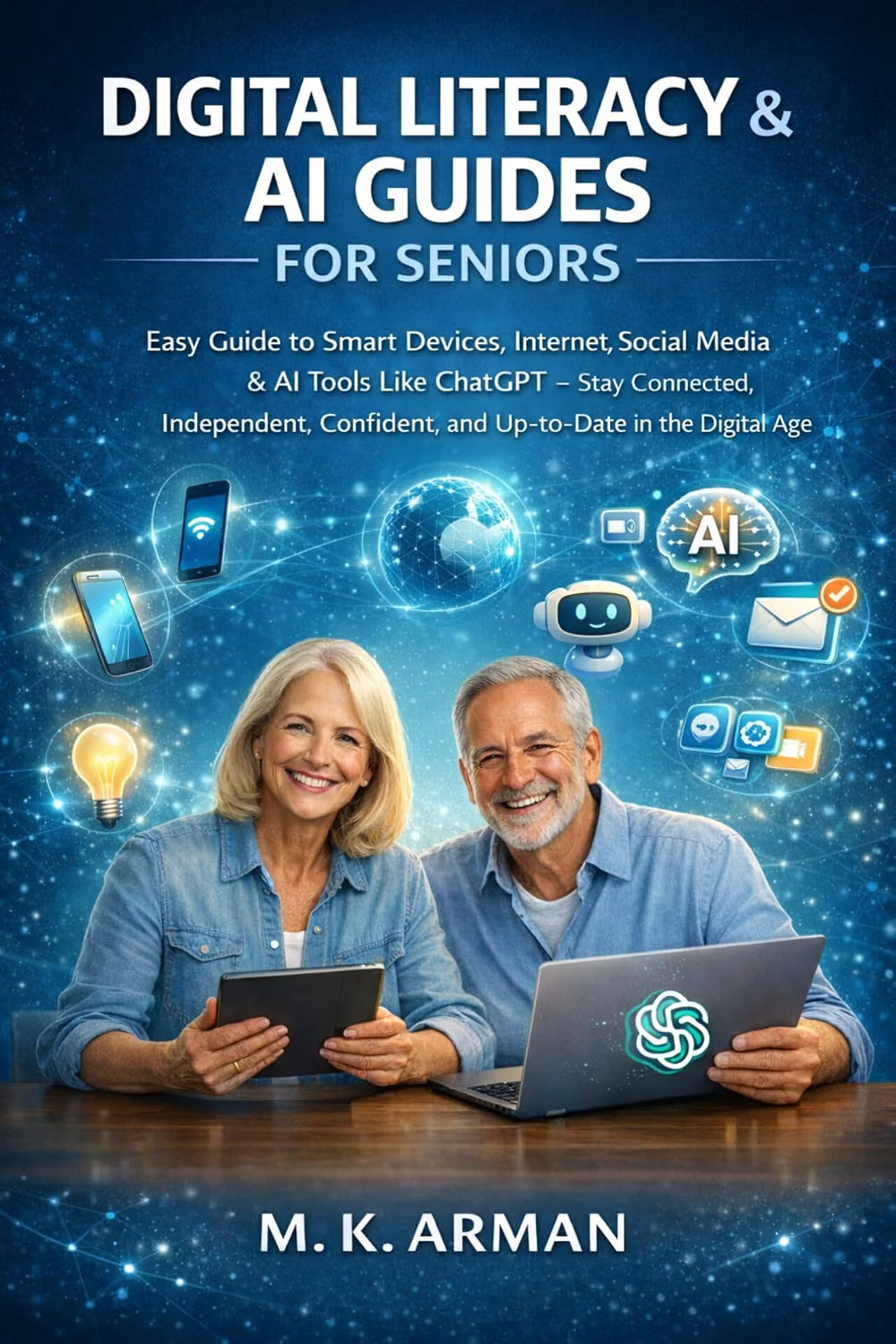
Digital Literacy & AI Guides for Seniors: Easy Guide to Smart Devices, Internet, Social Media & AI Tools Like ChatGPT – Stay Connected, Independent, … the Digital Age (Guide for Adults Book 1) is positioned around helping adults develop practical digital literacy skills while becoming more familiar with modern technology and AI tools.
The broader subject is increasingly relevant because digital literacy is no longer limited to knowing how to operate a computer. It includes understanding how devices communicate, how online accounts work, how information is shared, how social platforms function, and how to interact with AI tools responsibly.
For older adults, learning these skills can be approached gradually. There is no requirement to understand everything at once. A person can begin with one smartphone function, one online task, or one AI tool and build confidence over time.
What Digital Literacy Means for Seniors
Digital literacy is the ability to use digital devices, applications, online services, and information responsibly and effectively.
For beginners, the term can sound technical. In practice, it covers many ordinary activities.
It can mean knowing how to:
- Turn a smartphone or tablet on and off
- Connect to Wi-Fi
- Install and update an application
- Send an email
- Make a video call
- Search the internet
- Share a photograph
- Adjust accessibility settings
- Create and manage passwords
- Recognize suspicious messages
- Use social media
- Store files and photographs
- Understand basic privacy settings
- Use digital assistants
- Experiment with AI tools such as ChatGPT
These skills are connected.
For example, someone who wants to use ChatGPT on a smartphone first needs to be comfortable opening an application, connecting to the internet, entering information, and understanding the difference between an account and the device itself.
That is why a guide covering digital literacy and AI can be useful as a broader learning resource rather than simply an introduction to one application.
Key Features and Topics Covered
The book’s title and description focus on several areas of modern digital life, including smart devices, internet use, social media, and AI tools such as ChatGPT.
Each area represents a different set of skills.
Smart Devices
Smartphones and tablets are often the main gateway to digital services.
A modern smartphone can function as a camera, telephone, navigation system, web browser, messaging platform, entertainment device, calendar, document reader, and access point for numerous online services.
For a beginner, however, the number of available features can be overwhelming.
Learning the fundamentals first can make the device much easier to use.
Important concepts include the home screen, applications, notifications, settings, mobile data, Wi-Fi, Bluetooth, updates, and permissions.
It is also useful to understand that changing a setting does not necessarily mean something has gone wrong. Most smartphones provide extensive customization options, allowing users to change text size, screen appearance, notification behavior, sound, accessibility features, and other preferences.
Internet Basics
The internet can be thought of as an enormous network that connects devices and services.
When a person opens a browser and searches for information, several different technologies are working together behind the scenes.
A beginner does not need to understand all of that technical infrastructure.
Instead, practical knowledge is more important.
For example, users should know the difference between a search result and an official website, understand that advertisements can appear alongside legitimate information, and recognize that not everything published online is automatically accurate.
Digital literacy therefore involves both technical ability and judgment.
Social Media
Social media platforms can help people communicate with family members, participate in communities, follow interests, and share photographs or updates.
For seniors, social media can also provide a way to maintain contact with people who live far away.
However, social platforms introduce additional privacy considerations.
Users may need to understand:
- Who can see a post
- Who can contact them
- What information is visible on their profile
- How photographs are shared
- How to block or report an account
- How to recognize suspicious messages
- Why unsolicited links should be treated carefully
Learning these basics can make social media easier to navigate without requiring someone to become an expert in every platform.
Artificial Intelligence and ChatGPT
Artificial intelligence is one of the most significant additions to the digital landscape.
ChatGPT and similar AI assistants allow users to interact with software using ordinary language.
Instead of searching through multiple pages manually, someone can ask an AI assistant to explain a concept in simpler terms, organize ideas, create a draft message, or provide a step-by-step explanation.
For beginners, the conversational nature of AI can make experimentation more approachable.
A user might ask:
“Explain how to send a photograph by email in simple steps.”
Or:
“Explain this technology term without using technical language.”
The response can then be followed by another question if something remains unclear.
That conversational process is one of the most accessible aspects of modern AI tools.
At the same time, AI systems can make mistakes. Their answers should not automatically be treated as authoritative, especially when dealing with financial, legal, medical, security, or other high-stakes subjects.
How the Guide Can Be Used
A digital literacy book is most useful when the information is turned into practical activity.
Reading about smartphones without using one does not create the same learning experience as actually opening the settings menu and exploring it.
A gradual learning routine can therefore be effective.
Begin With Familiar Tasks
Start with activities that already have a clear purpose.
For example, someone might learn how to:
- Open the messaging application.
- Select a contact.
- Type a message.
- Attach a photograph.
- Send it.
- Return to the home screen.
Once that process becomes comfortable, another task can be introduced.
This approach reduces the feeling that digital technology is one enormous subject that has to be learned all at once.
Use Technology for Real-Life Needs
Learning becomes easier when there is an immediate reason for using a particular feature.
Someone might learn video calling because they want to speak with family members.
They might learn online maps because they want directions.
They might learn email because they need to communicate with an organization.
They might explore ChatGPT because they want help understanding an unfamiliar subject.
Practical goals give digital learning a clear purpose.
Practice Repeatedly
Digital skills become more familiar through repetition.
If a person sends one email today and does not use email again for six months, the process may feel unfamiliar when they return.
Short, regular practice sessions can be more manageable.
Even ten or fifteen minutes spent exploring one feature can gradually build familiarity.
Use AI as a Learning Assistant
One interesting application of AI is using AI itself to learn technology.
A beginner can ask an AI assistant for instructions at an appropriate level.
For example:
“Explain how to create a strong password as if I have never used online accounts before.”
The user can then ask follow-up questions.
This can turn AI into a conversational learning aid.
However, the person should still verify important information and avoid sharing sensitive personal information unnecessarily.
Learning to Ask Better Questions
One of the useful skills associated with AI literacy is learning how to communicate a request clearly.
An AI assistant does not necessarily require complicated commands.
Simple language can often work well.
Instead of writing:
“Technology help.”
A user could ask:
“Explain how to connect my Android phone to my home Wi-Fi. Give me one step at a time.”
The second request gives the system more useful context.
Users can also ask for explanations at different levels.
For example:
“Explain this in simple language.”
Or:
“Give me a short answer first, then explain the details.”
This can make AI tools more accessible to people who are still developing confidence with technology.
Using AI Without Losing Critical Thinking
Artificial intelligence can produce fluent and convincing answers, but fluency does not guarantee accuracy.
This is an important lesson for every new AI user.
An AI assistant can misunderstand a question, provide outdated information, make an incorrect assumption, or present an answer with more confidence than the evidence deserves.
That does not make AI useless.
It means that users should understand what AI is good at and where human judgment remains important.
For everyday learning, AI can help explain terminology, organize ideas, brainstorm questions, or provide general educational information.
For important decisions, users should consult appropriate authoritative sources or qualified professionals.
A useful habit is to ask:
“How can I verify this information?”
That question is part of digital literacy.
Who May Find This Guide Useful?
Seniors New to Smartphones
Someone who recently received a smartphone may benefit from a broad introduction to the digital environment.
Rather than concentrating exclusively on one application, the subject of the book covers several categories of technology that commonly appear in everyday life.
Adults Learning About AI
Artificial intelligence can seem mysterious when encountered primarily through news reports or conversations.
A beginner-oriented guide can provide an entry point for understanding what AI tools are and how they can be used.
Someone does not need a technical background to experiment with conversational AI.
Family Members Helping Older Relatives
Digital learning is sometimes shared between generations.
An adult child, grandchild, friend, or caregiver may use a guide like this as a starting point when helping an older relative become more comfortable with technology.
The learning process can become collaborative rather than one person simply explaining everything to another.
Adults Returning to Technology
Not everyone who struggles with modern technology is completely inexperienced.
Someone may have used computers for decades but feel less comfortable with smartphones, social media, cloud services, or AI.
The digital world changes quickly, so even experienced computer users can encounter unfamiliar concepts.
People Seeking Greater Digital Independence
Learning how to perform everyday tasks independently can be valuable.
Knowing how to reset a password, recognize a suspicious message, download an application, adjust accessibility settings, or contact someone through a video call can reduce reliance on others for routine activities.
That does not mean technology eliminates the need for assistance.
Rather, digital skills can provide another layer of independence.
Important Things to Consider
Technology Changes Quickly
Digital technology evolves continuously.
An application’s interface can change after an update. A button may move. A privacy setting may receive a new name. An AI tool may gain new capabilities.
For this reason, a guide should be treated as a foundation rather than a permanent manual for every future software version.
When instructions appear different from what is displayed on a device, users should check the current documentation provided by the device or service manufacturer.
Different Devices Work Differently
An iPhone does not have exactly the same interface as an Android phone.
Similarly, Windows computers, Macs, Chromebooks, iPads, and Android tablets organize settings differently.
General concepts can transfer from one device to another, but exact instructions may vary.
Beginners should not assume that a difference in appearance means they have made a mistake.
Accessibility Settings Matter
Modern devices commonly provide features designed to make digital interaction easier.
Depending on the device, these may include:
- Larger text
- Screen magnification
- Increased contrast
- Voice control
- Spoken content
- Captioning
- Hearing-related settings
- Reduced motion
- Larger touch targets
Exploring accessibility settings can sometimes make a bigger difference to usability than learning another application.
Password Management Requires Attention
Passwords are an important part of digital literacy.
Using the same password for every account creates additional risk because if one account is compromised, other accounts may become vulnerable as well.
Users should consider using unique passwords and, where available, multi-factor authentication.
A reputable password manager can also help organize credentials without requiring users to memorize dozens of separate passwords.
Be Careful With Urgent Messages
One of the most important digital safety habits is slowing down when a message creates urgency.
A message claiming that an account will immediately be closed, a relative urgently needs money, or a payment must be made within minutes deserves additional verification.
Scammers can use email, text messages, social media, phone calls, and increasingly sophisticated AI-generated content.
Older adults should never feel pressured to act immediately simply because a message appears convincing.
When in doubt, contact the person or organization using a trusted method rather than the phone number or link contained in the suspicious message.
Digital Safety for Seniors
Digital literacy and digital safety should be learned together.
A user does not need to become a cybersecurity professional to develop safer habits.
Several simple principles can make a meaningful difference.
Keep Devices Updated
Software updates frequently contain security improvements as well as new features.
When a device indicates that an important update is available, users should review the update information and install it through the normal system settings.
Avoid installing updates from unexpected links in emails or messages.
Check Website Addresses
Before entering passwords, payment details, or other sensitive information, check that you are using the legitimate website or application.
Search engines can display advertisements and websites that resemble familiar services.
When possible, accessing an important service through its official application or a previously verified website can reduce confusion.
Never Share Verification Codes
One-time verification codes are designed to help protect accounts.
A legitimate service may send a code to confirm an action, but users should be extremely cautious about giving that code to someone who contacts them unexpectedly.
If a person asks for a verification code during an unsolicited phone call or message, stop and verify the situation independently.
Verify Family Emergencies
AI can make impersonation attempts more convincing because voice and image generation technologies can imitate people.
If a message or call claims that a family member is in an emergency and urgently needs money or sensitive information, independently contact that person or another trusted family member using a known communication method.
Taking a few extra minutes to verify an emergency can be worthwhile.
Comparison of General Digital Learning Categories
Different digital literacy resources can serve different purposes.
| Category | Main Focus | Suitable Learning Goal |
|---|---|---|
| Basic computer guides | Computer fundamentals | Learning files, browsers, settings and applications |
| Smartphone guides | Mobile devices | Calling, messaging, apps, photographs and settings |
| Internet safety guides | Online security | Passwords, scams, privacy and secure browsing |
| Social media guides | Online communication | Profiles, posts, messaging and privacy |
| AI guides | Artificial intelligence | Understanding and using conversational AI |
| Comprehensive digital literacy guides | Multiple digital skills | Building broader confidence across devices and services |
A resource covering several categories can provide a useful overview, while specialized guides may be more appropriate when someone wants detailed instructions for one particular subject.
For example, a person who already understands smartphones but wants to learn about online banking security may need a more specialized resource.
The important consideration is matching the learning material with the learner’s current needs.
Digital Independence Does Not Mean Learning Everything
There can be a tendency to think that becoming digitally independent means mastering every application.
That is not necessary.
A person may only need a relatively small collection of skills for everyday life.
Perhaps those skills include:
- Calling family
- Sending messages
- Video chatting
- Searching for information
- Managing email
- Taking and sharing photographs
- Using maps
- Accessing important online accounts
- Recognizing scams
- Using an AI assistant for general questions
Learning these tasks well may be more useful than trying to understand every feature available on a device.
Digital confidence can grow from a small number of successful experiences.
Teaching Digital Skills to Another Person
Family members who teach technology should remember that everyone learns differently.
A common mistake is completing the task for the learner because it is faster.
That may solve the immediate problem but does not necessarily teach the underlying skill.
A better approach can be:
- Explain the goal.
- Demonstrate the process slowly.
- Let the learner perform the task.
- Allow them to make mistakes.
- Explain what happened.
- Repeat the process.
- Encourage them to try independently.
Patience matters.
A person who has never used a smartphone may not immediately understand concepts that seem obvious to experienced users.
Terms such as “app,” “browser,” “link,” “cloud,” “account,” and “notification” may need explanation.
Good digital education begins with the learner’s current knowledge rather than assuming what they should already understand.
Using Social Media More Thoughtfully
Social media can be useful, but users should remember that sharing something online can have consequences.
Before posting a photograph, consider whether it contains information that should remain private.
Before accepting a new friend request, consider whether the person is actually known.
Before sharing a sensational story, check whether it comes from a reliable source.
Before clicking a link, consider where it leads.
These habits are simple, but they become increasingly important as online content becomes easier to create and manipulate.
Digital literacy is therefore not only about knowing which button to press.
It is also about knowing when to pause.
AI as a Personal Learning Companion
One of the more interesting applications of conversational AI is its potential role as an on-demand learning assistant.
A person learning how to use technology may ask an AI system to explain unfamiliar terminology.
For example:
“What does cloud storage mean?”
Then:
“Give me an everyday example.”
Then:
“How is cloud storage different from saving a photo on my phone?”
This style of questioning can create a personalized learning conversation.
The user controls the pace and can ask for clarification whenever necessary.
However, AI should be viewed as a supplement to trusted information, not a replacement for professional advice or official instructions.
For device-specific questions, the manufacturer’s documentation may provide more reliable instructions than a general-purpose AI assistant.
Frequently Asked Questions
Is this book only about artificial intelligence?
No. The title covers a broader digital literacy subject, including smart devices, internet use, social media, and AI tools such as ChatGPT.
Does someone need technical experience to learn about ChatGPT?
No programming knowledge is required to have a basic conversation with ChatGPT or similar AI tools. The main skill is learning how to describe what you need clearly and how to evaluate the response.
Can AI help seniors learn technology?
AI can provide explanations, examples, and step-by-step guidance for many general technology questions. However, users should verify important information and use official device documentation for specific settings or safety instructions when appropriate.
Can seniors use smartphones without understanding every feature?
Yes. Most people only need a subset of the available features for their everyday activities. Learning the functions that are personally useful can be a practical starting point.
What is digital literacy?
Digital literacy refers to the knowledge and skills needed to use digital devices, online services, applications, and information effectively and responsibly.
Is social media safe for older adults?
Social media can be used safely with appropriate precautions, but no online platform is completely free from scams, privacy concerns, misinformation, or unwanted contact. Privacy settings and careful handling of messages and links are important.
Should seniors share personal information with ChatGPT?
Users should be cautious about entering sensitive personal information into any online service. Avoid sharing passwords, financial account credentials, government identification numbers, or other information that does not need to be included in a question.
Can ChatGPT make mistakes?
Yes. AI-generated answers can contain errors or outdated information. Important claims should be independently verified, particularly when they relate to health, finances, legal matters, security, or other consequential decisions.
Can AI replace family members who provide technology assistance?
AI can help answer many routine questions, but it does not eliminate the value of human support. Family members, professional instructors, libraries, community programs, and device manufacturers can all provide forms of assistance.
How can a beginner start learning digital skills?
Start with one device and one practical goal. For example, learn how to make a video call, send a photograph, or search the internet. Once that task becomes comfortable, add another.
What should someone do when a technology instruction does not match their screen?
Software interfaces change. Check whether the device or application has recently been updated and look for current official support documentation. Avoid assuming that a different button location means something is wrong.
Can digital literacy help people remain more independent?
Learning common digital tasks can make it easier for people to communicate, access information, manage everyday services, and use online tools without always needing someone else to perform those tasks.
Conclusion
Digital technology can sometimes appear complicated because several different systems have become part of ordinary life at the same time.
Smartphones, tablets, computers, internet services, social media, cloud applications, and artificial intelligence all introduce their own terminology and settings. For someone who is still becoming comfortable with these technologies, trying to learn everything simultaneously can quickly become frustrating.
A gradual approach is more practical.
Digital Literacy & AI Guides for Seniors focuses on the broader skills needed to navigate this environment, with attention to smart devices, internet use, social media, and AI tools such as ChatGPT. These subjects are closely connected because modern digital tasks often involve several of them at once.
The most valuable lesson is not necessarily how to operate one particular application. It is developing the confidence to explore technology, ask questions, recognize risks, and seek reliable information when something is unfamiliar.
AI can become part of that learning process. A conversational assistant can explain terminology, provide examples, help organize ideas, and guide users through general questions. At the same time, responsible digital literacy requires recognizing the limitations of AI and verifying important information.
For seniors and other adults entering or returning to the digital world, progress does not require mastering everything.
One useful skill at a time can be enough to begin.
Leave a Reply